

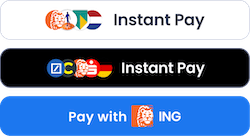
POST /payments returns a Rocka Buffet URL that directs them to their selected bank’s payment form.
Set up custom checkout
You can start working on your checkout before you complete your onboarding in Rocka Hub. To set up and test your integration, use your test API key. Follow the steps below to get started.Configure your integration
1
Step 1. Complete your onboarding
Complete your onboarding in Rocka Hub and get your API keys. For more details, see Get your API key and Authorisation.
2
Step 2. Retrieve popular banks
Use the
GET /providers/top endpoint to retrieve a list of the popular banks in your customer’s country. Provide the ISO 3166 code of the country and optionally, the number of banks you want to retrieve. The response includes the required bank metadata, such as each bank’s id and logoUrl. Sample request and response retrieving the list of the popular banks in France:Sample request
Sample request
Sample response
Sample response
3
Step 3. Add payment buttons
Use the bank information returned by
GET /providers/top to create your bank selection. For the button images, you can use Rocka’s logoUrl values or your own custom assets.4
Step 4. Create a payment
Use the
POST /payments endpoint to create a payment. At a minimum, include these parameters:- payment
amountandcurrency returnUrl, where the customer is redirected after they complete the paymentpaymentId, your unique identifier for the payment. This is only be visible to you. Rocka returns thispaymentIdin every callback.description, a short description of the payment shown to the customer on the payment formcustomerIdoremail, the customer’s unique identifiers in your system
- Include the customer’s IBAN as
iban. This will pre-select their country and bank, and in most cases the customer will be redirected to their bank’s payment form. - Include the bank’s
providerId(returned asidbyGET /providers/top). This will pre-select the customer’s country and bank, but they will still be prompted for their IBAN. - Include the first 6 digits of the customer’s card number as
iin. This will pre-select their bank automatically. For more information, see Offer open banking to card payers.
Sample request
Sample request
Sample response
Sample response
5
Step 5. Direct the customer to the payment link
POST /payments returns the payment’s ID (id) and a Rocka Buffet URL (url). Direct the customer to this URL to send them to their selected bank’s payment form. This can be in a new tab or the same tab.Once the customer places the payment, they are redirected to the returnUrl you provided in your payment creation request.6
Step 6. Handle payment completion and status updates
When you create a payment, you can provide a webhook URL (
webhookUrl) where sends send callbacks with payment status updates.Rocka notifies you when the payment is completed (the Done status) or fails (the Failed status). For more information on callbacks and statuses, see Callbacks and Transaction statuses.Test your integration and go live
Before you start accepting live payments, make sure your integration works as expected. For more information on how to test payments using Rocka’s mock bank, see Test your integration. Once you’ve tested your integration and completed your onboarding in Rocka Hub, you’re ready to go live. To do so, switch to the live server (https://api.rocka.live) and use your live API keys. Make sure you’ve properly configured webhook notifications (Enable webhook notifications). You can also set up extended webhooks with additional payment metadata (Set up extended webhooks).
Improve the payment experience
There are three ways you can use custom checkout to improve your customers’ payment experience. You can implement any combination of these options, or all three.Highlight popular banks
For example, you can list a bank that’s highly popular in your target region separately for more visibility.
Offer returning customers their last-used bank
For returning customers who have already paid through Rocka, you can add a dynamic button that automatically offers their last used bank.
Offer open banking to card payers
If you have a custom card payment form on your site, you can offer open banking as an alternative when they enter their card number.
Highlight popular banks
If a bank is especially popular with customers in your target region, you can list it as its own button instead of grouping it with the rest. To add a separate button for a popular bank:- Send a request to the GET /providers/top endpoint. This will return a list of popular banks, each with its unique
idandiin. - Add a payment button to your checkout form. You can either use your own assets or request a button from Rocka. To use a Rocka button, make a request to POST /payments/logo and include the bank’s
iinin your request. - Every time you create a payment initiated from this button, include the bank’s
idasproviderIdin your request to POST /payments. This will generate a payment with the country and bank pre-selected on the form.
Offer returning customers their last-used bank
If a customer has previously paid through Rocka, you can use theircustomerId or email to dynamically retrieve a payment button for their last-used bank.
To do so:
1
Pass the customer’s
customerId or email to the POST /payments/logo endpoint.The response includes a link to a custom payment button tailored to the customer’s bank. Use this link to display the dynamic payment button.Sample response
Sample response
2
When you create the payment, pass the same
customerId or email to POST /payments as well. This skips the bank selection stage and directs the customer to their bank’s payment form.Sample request
Sample request
Sample response
Sample response
Offer open banking payments to customers who pay by card
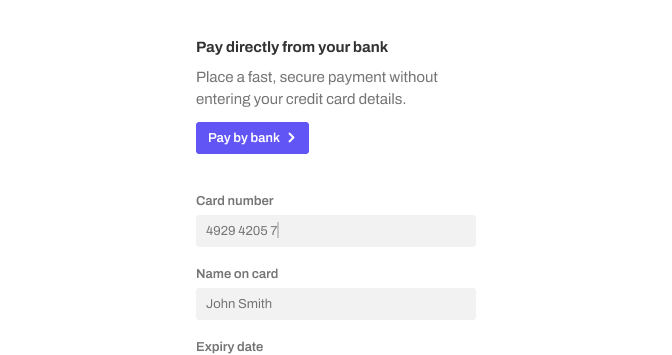
iin. Rocka will identify the customer’s bank and generate a payment link that directs them to that bank’s payment form.
You can also generate a custom payment button on the fly. To do so, send a request to the POST /payments/logo endpoint and include the first six digits of the card number as iin. The endpoint will return a link to the payment button that you can display on your payment form.
- Create a payment