

1
Go to your Rocka Hub.
2
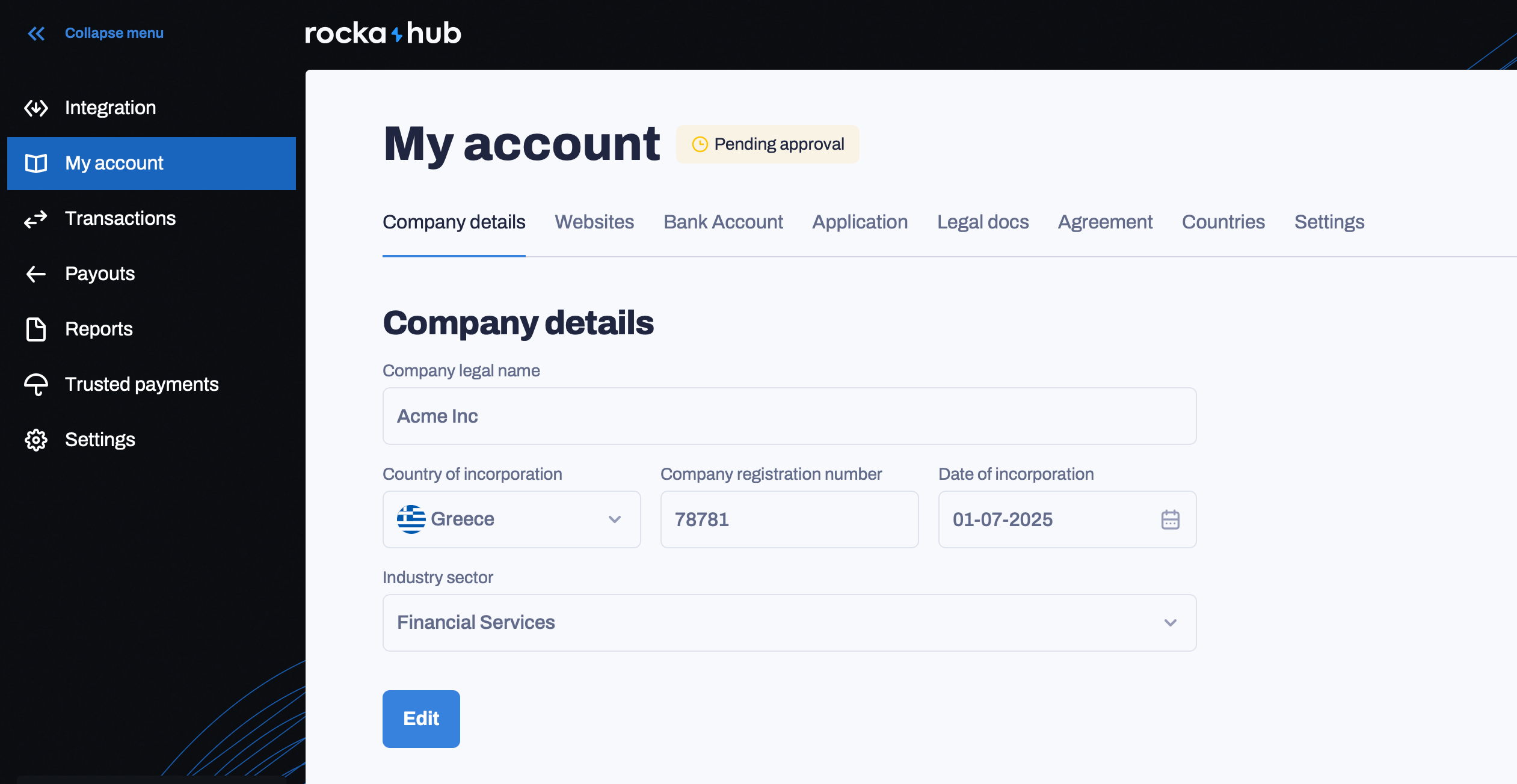
On the left-hand sidebar, click My account.
3
On the Company details tab, click Edit. You can edit:
- Company legal name: Your company’s legal name. This should match your company’s incorporation certificate.
- Country of incorporation: The country where your company was registered.
- Company registration number: Your company’s unique number in Rocka’s records. It was assigned to your company when you registered your account.
- Date of incorporation: The date your company was registrered.
- Industry sector: Your company’s industry.
4
Enter your new details and click Save.
If you want to edit your company details after your profile was approved, your changes will be reviewed by Rocka before they are applied. Your changes are sent for review once you click Save.