

-
Current balance on the Payouts tab. This is the balance you can use to send payouts to your customers. It consists of balance top-ups (both in fiat and crypto), as well as settlement nettings.

-
Income balance on the sidebar. Your Current week balance is the sum of your incoming pay-in transactions over this week. Your Last week balance is the sum of your incoming pay-in transactions over the past week.
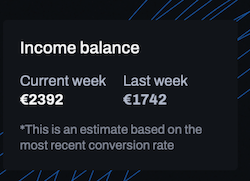
At this time, you can only see your income balance in your Rocka Hub. Your total revenue balance will not be displayed.