> ## Documentation Index
> Fetch the complete documentation index at: https://docs.rocka.live/llms.txt
> Use this file to discover all available pages before exploring further.
# Transaction statuses
## Payment statuses
All newly created payments get the `New` status. Once a payment is processed, its status will change to either `Done` or `Failed`.
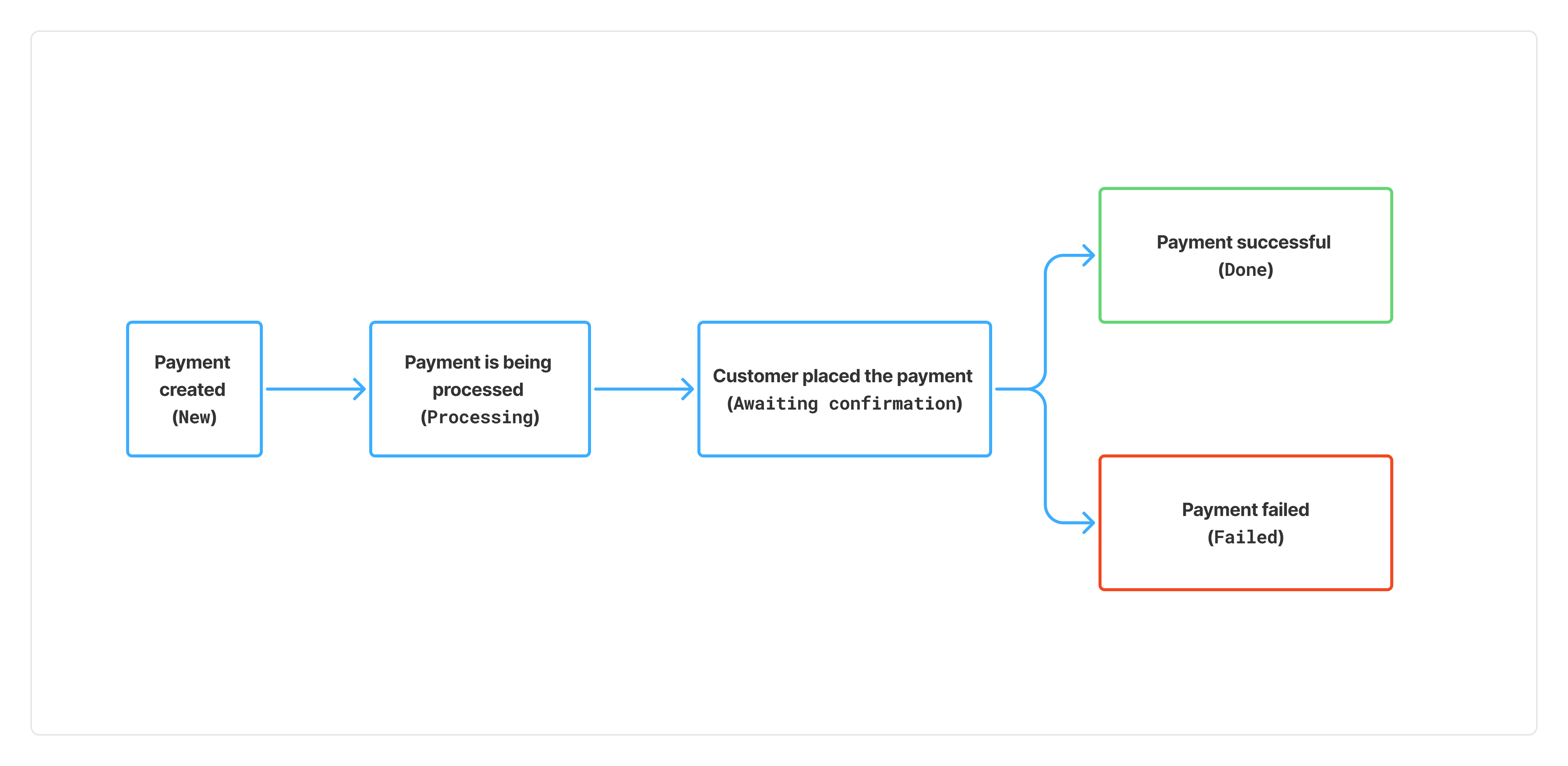 | Status | Description |
| ----------------------- | ---------------------------------------------------------------------------------------------------------------------------------------------------------------------------------------------------------------------------------------------------------------------------------------------------------------------------------------------------------- |
| `New` | Temporary status. You have just created this payment. It won't appear in your Rocka Hub until its status changes to Processing. |
| `Processing` | Temporary status. If you're using our [hosted checkout](/integration-guide/api/default-layout), this status means the customer clicked the payment link and chose their country and bank. If you're using [direct payments](/integration-guide/api/custom-layout), this status means the customer clicked the payment link (with their bank pre-selected). |
| `Awaiting confirmation` | Temporary status. Your customer has placed the payment. Rocka is waiting for a callback from your bank confirming that the payment has been received. |
| `Done` | Final status. The payment has been completed. |
| `Failed` | Final status. The payment couldn't be completed. For the list of possible decline reasons, see [Payment decline reasons](/manage-your-account/your-balance-and-transactions/payment-decline-reasons). |
## Refund statuses
All newly created payments get the `Sent` status. Once a refund is processed, its status will change to either `Done` or `Failed`. For more details, see [Refund statuses and timelines](/manage-your-account/refunds/refund-statuses-and-timelines).
| Status | Description |
| ----------------------- | ---------------------------------------------------------------------------------------------------------------------------------------------------------------------------------------------------------------------------------------------------------------------------------------------------------------------------------------------------------- |
| `New` | Temporary status. You have just created this payment. It won't appear in your Rocka Hub until its status changes to Processing. |
| `Processing` | Temporary status. If you're using our [hosted checkout](/integration-guide/api/default-layout), this status means the customer clicked the payment link and chose their country and bank. If you're using [direct payments](/integration-guide/api/custom-layout), this status means the customer clicked the payment link (with their bank pre-selected). |
| `Awaiting confirmation` | Temporary status. Your customer has placed the payment. Rocka is waiting for a callback from your bank confirming that the payment has been received. |
| `Done` | Final status. The payment has been completed. |
| `Failed` | Final status. The payment couldn't be completed. For the list of possible decline reasons, see [Payment decline reasons](/manage-your-account/your-balance-and-transactions/payment-decline-reasons). |
## Refund statuses
All newly created payments get the `Sent` status. Once a refund is processed, its status will change to either `Done` or `Failed`. For more details, see [Refund statuses and timelines](/manage-your-account/refunds/refund-statuses-and-timelines).